
We’ve made it easy to get started with just three steps:
Anyone can use Savo, whether you’ve lost a loved one, are caring for someone, or have recently experienced a diagnosis. A village can be set up for yourself or someone else.
Click here then answer the questions as best as possible. You’ll then be prompted to create an account.
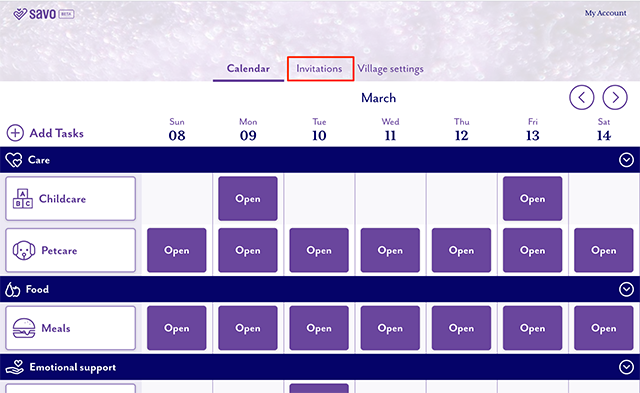
Once you’ve set up an account, click on the Invitations tab at the top center of the calendar page (see image below).
Once on the Invitations tab, you will have the choice to:
1. Click copy at the bottom of the page to copy a prewritten message that you can paste into an email and invite friends and family.
2. Click on Social media on the left side of the page then choose to share on Facebook and/or Twitter by clicking the respective buttons.
3. Click on Link on the left side of the page, click the Copy button to copy the link to the village you just created then share that link any way you choose – text, email, Facebook messenger, etc.
You can invite as many people as you’d like to join the village you create.
Care
Cleaning
Emotional
Food
Other
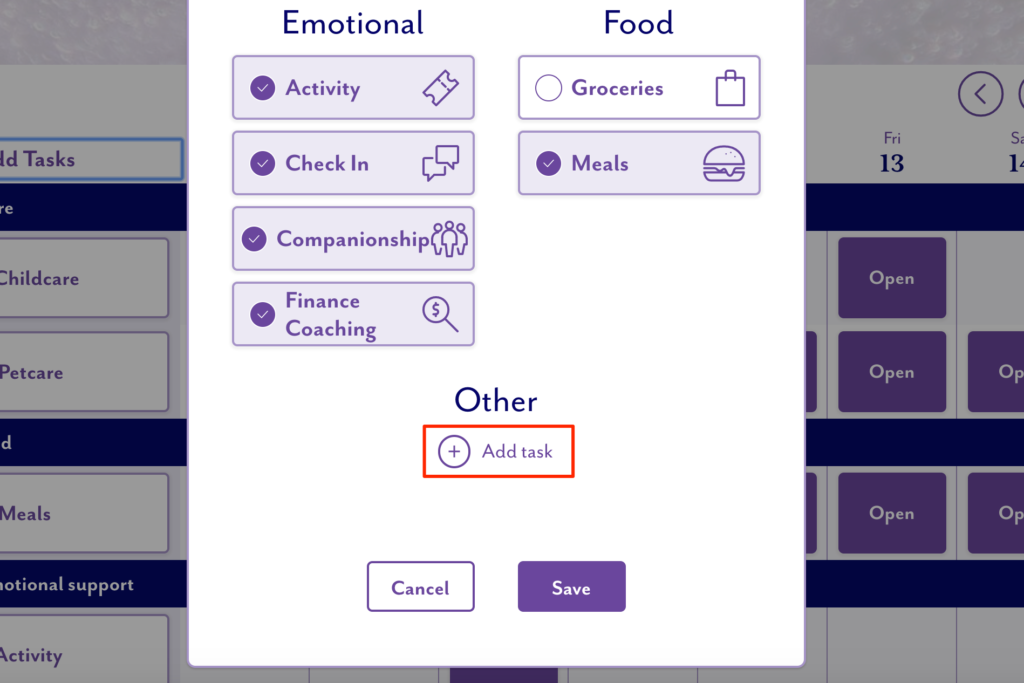
Don’t see a task the family needs help with? You can add a task from the calendar by clicking on the + Add Task button in the top left then clicking the + Add task under Other. You can then type in the task type you’d like to add to the village. For example, you can add “water plants” as a new task type.
You can add a custom task from the calendar by clicking on the + Add Task button in the top left then clicking the + Add task under Other. You can then type in the task type you’d like to add to the village. For example, you can add “water plants” as a new task type.
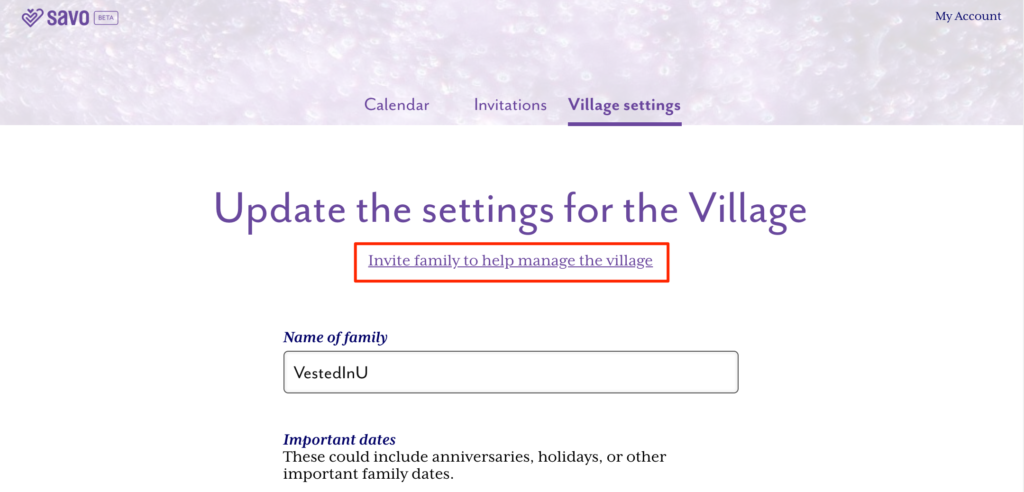
Yes, when you are logged into their village click on Settings in the top center of the calendar page. Then click Invite family to help manage the village. You’ll then be able to copy the prewritten message and paste that in an email to invite the family member(s).
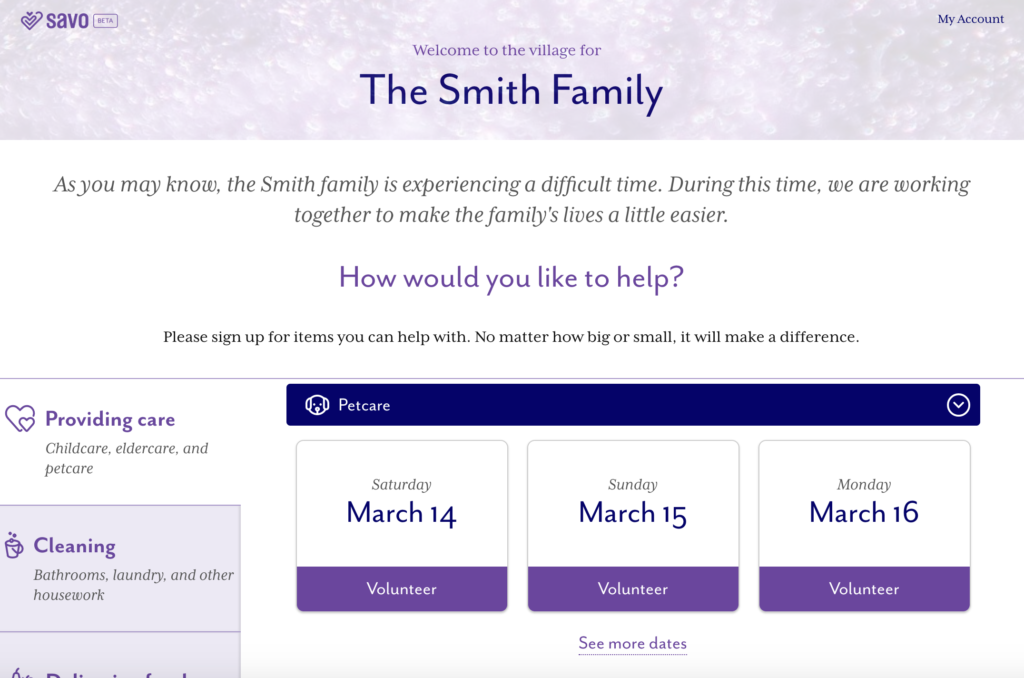
Village is the term we give to the community that comes together to support an individual family. Each family will have their own page called a “village.”
Savo launched in January 2020 and is currently in beta, meaning it is fully available for use but there may be an occasional bug here or there. While we are in the beta phase, we are looking for any feedback you may have to help us make the product better. Please provide your feedback as well as any questions or issues using the contact form.
We’re sorry to hear you are having issues. Please reach out to us via the contact form detailing the issue you are experiencing and we’ll get back to you as soon as possible.
We’d love to hear about your experience using Savo. The feedback you provide will help us improve the product. Please provide your feedback using the contact form.